
Yes. Plenty of coffee shops have WiFi good enough for a video call, and ours handles them fine. Whether the call goes well depends on everything around the connection: your headphones, your seat, and how private the conversation needs to be.
Here is how to take one from a coffee shop without it going wrong, and how to tell when a table is the wrong place for it.
Before the call starts
Test the connection a few minutes before you join, not as the meeting opens. Most video apps have a preview screen that shows you the picture and the microphone level, and a quick speed test in the browser will tell you whether the network is having a good day.
Plug in. A video call uses more battery than almost anything else you will do on a laptop, and a warning at forty minutes is a bad way to end a meeting. At our place there is power at nearly every seat, so this part is easy.
Wear headphones with a microphone. They stop the other people on the call hearing the room, and they stop the room hearing the other people on the call. Speakerphone in a coffee shop is the one habit that turns everybody against you.
Where to sit
Sit with your back to a wall if you can. Nobody walks behind you, the camera shows something plain, and you are not broadcasting strangers to your colleagues. Keep away from the counter, where the grinder and the milk steamer are loudest, and from the door.
Face the light rather than having it behind you. A window at your back turns you into a silhouette, however good your camera is.
Call manners in an open room
Talk at the level you would use across a small table. Microphones are better than people think, and most people raise their voice on a call without noticing. Mute yourself when you are not speaking, which also saves your colleagues from the coffee machine.
Keep calls in the open room short. A fifteen-minute check-in at a desk is fine. A two-hour workshop is not something the people sitting next to you signed up for. If a call is going to run long, move it somewhere more suitable before it starts.
When to book a room with a door
Some calls should not happen at a table in a public room, however quiet it is. A job interview, a conversation about health or money, a legal matter, anything with a client’s private details in it, or any call where you will need to share a screen with more than one person in the room with you.
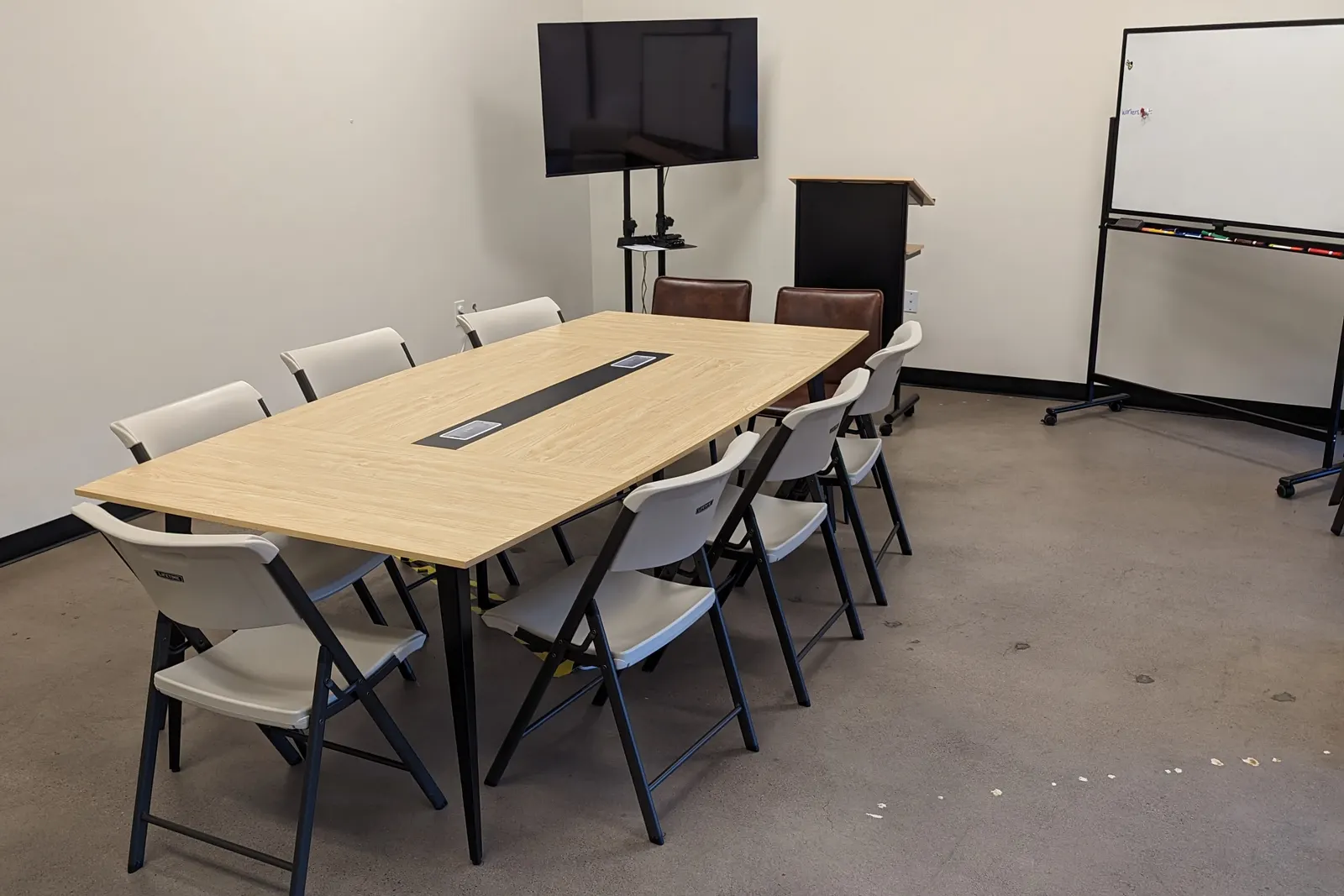
For those, our conference room is the better choice. It has a door that closes and blinds on the window. There is a screen on a rolling stand and a mobile whiteboard, and power built into the middle of the table so nobody runs a cable across the floor. It seats ten, so it works for a group joining a call together as well as for one person who needs quiet. The room is booked by the hour through Peerspace, which shows the current rate and what is free.
Coffee and the full menu are a few steps away, which helps with a long session.
On the WiFi here
It is free, and video calls are fine on it. Ask at the counter for the network password when you order. If you want a desk for the whole day around your calls, that is free too. There is no day rate, and a coffee makes the desk yours until you leave.
If you are still choosing where to work from, our guide to the best coffee shops to work remotely in Mesa rates five shops on WiFi, outlets and noise, ours included. For in-person meetings rather than calls, there is more in where to meet a client in Mesa.